
Restaurant staff scheduling
Next week’s rota, ready in one sentence.
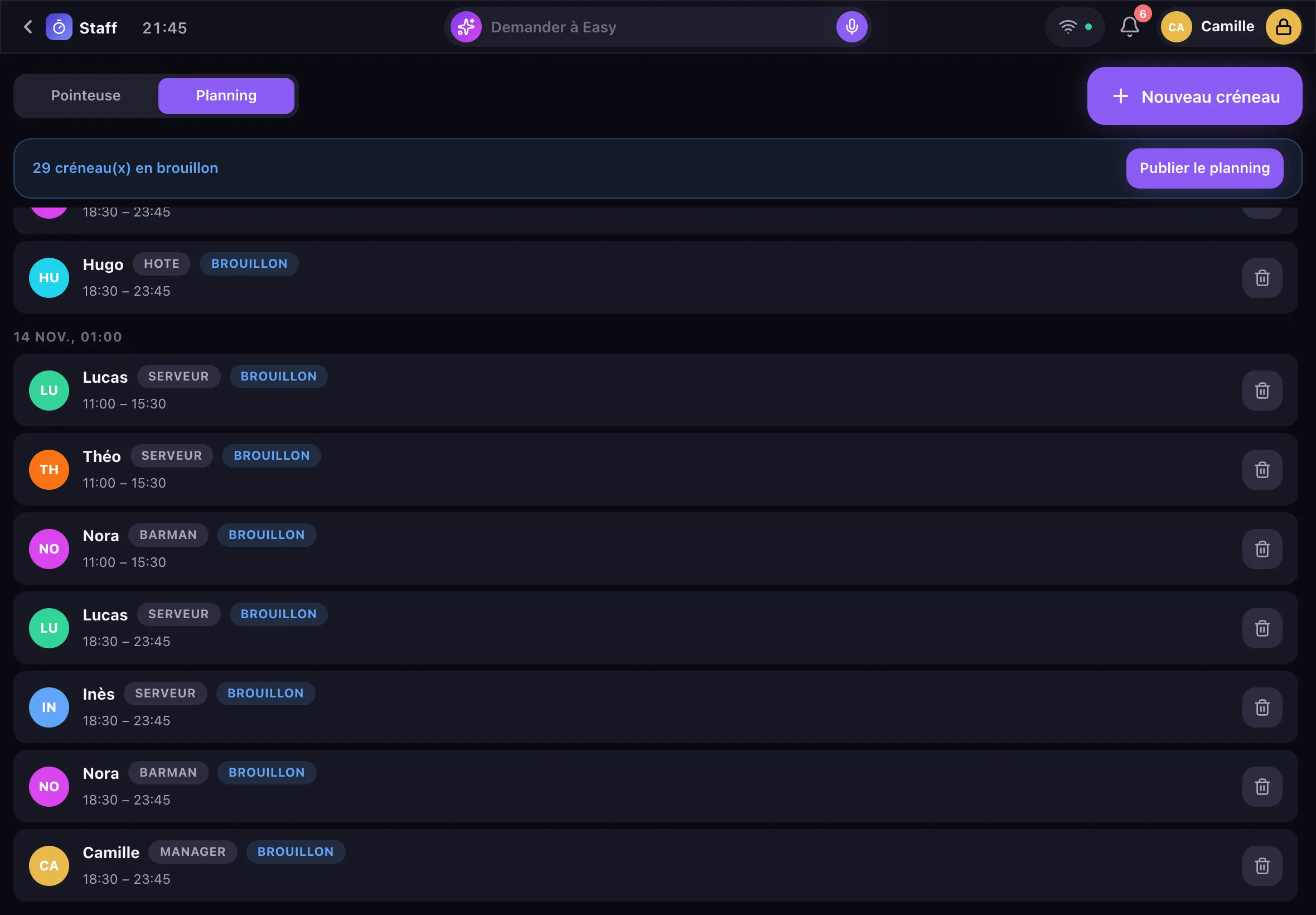
EasyClub handles restaurant staff scheduling on iPad: each shift has its employee, role and hours, stays in draft while you adjust it, then is published to the team. You fill it in by hand or ask Easy: “Draft next week’s rota”.
- Draft, then publish
- Drafted by voice
- Linked to the time clock
One shift, three details
A shift is an employee, a date, a start time and an end time, with a note if needed (“extra hand at the bar”). The role comes from the profile: server, bartender, host, manager. A shift that ends after midnight fits on one line: 6:30 pm – 2 am.
- Split shifts: two shifts on the same day, lunch and dinner
- Shifts grouped by day
- Role shown beside each name
Draft, then published
While in draft, the rota can be fixed without the team seeing it. One tap on “Publish” makes every shift visible. Deleting a shift requires a manager code.
Easy drafts the week
By voice or in writing: “Draft next week’s rota”, “Put Hugo on the bar Saturday from 6 pm to 2 am”. Easy creates the shifts as drafts and shows them in the thread; you adjust, then publish.
Planned, then worked
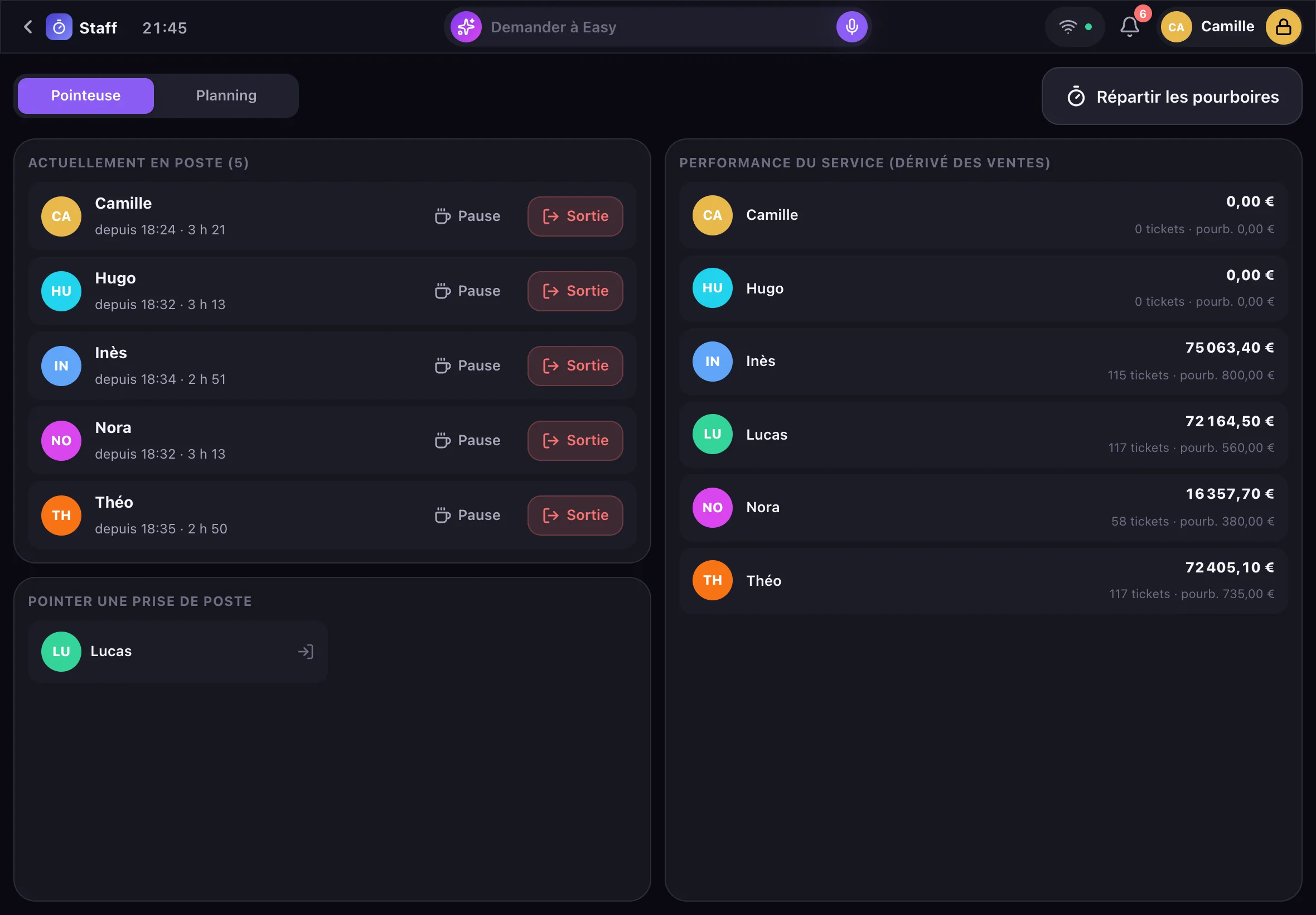
On the day, everyone clocks in with their code on the lock screen. The time clock counts the hours actually worked, breaks deducted, and is used to split tips. Easy answers “How many hours did Nora work yesterday?”.
Frequently asked questions
Is scheduling really free?
Yes. Scheduling and the time clock are part of EasyClub, free with no subscription, whatever the size of your team.
Does the team get the rota on their phones?
Not yet: the published rota is viewed in the Staff app, on the venue’s iPads.
Does the rota total the week’s hours?
Hours actually worked are counted by the time clock, day by day, and Easy gives each person’s hours for a given day. Weekly totals of planned hours are not shown yet.
Can I plan split shifts?
Yes: give the same person two shifts on the same day, one for lunch and one for dinner.
Who can change the rota?
Everyone can view it; deleting a shift requires a manager code. Easy never has more rights than the person signed in.
Free
Step into the future. It’s free.
An iPad demo, at your place, while the room gets ready. You speak, Easy does the rest.