
Restaurant floor plan
The floor plan, drawn with a finger.
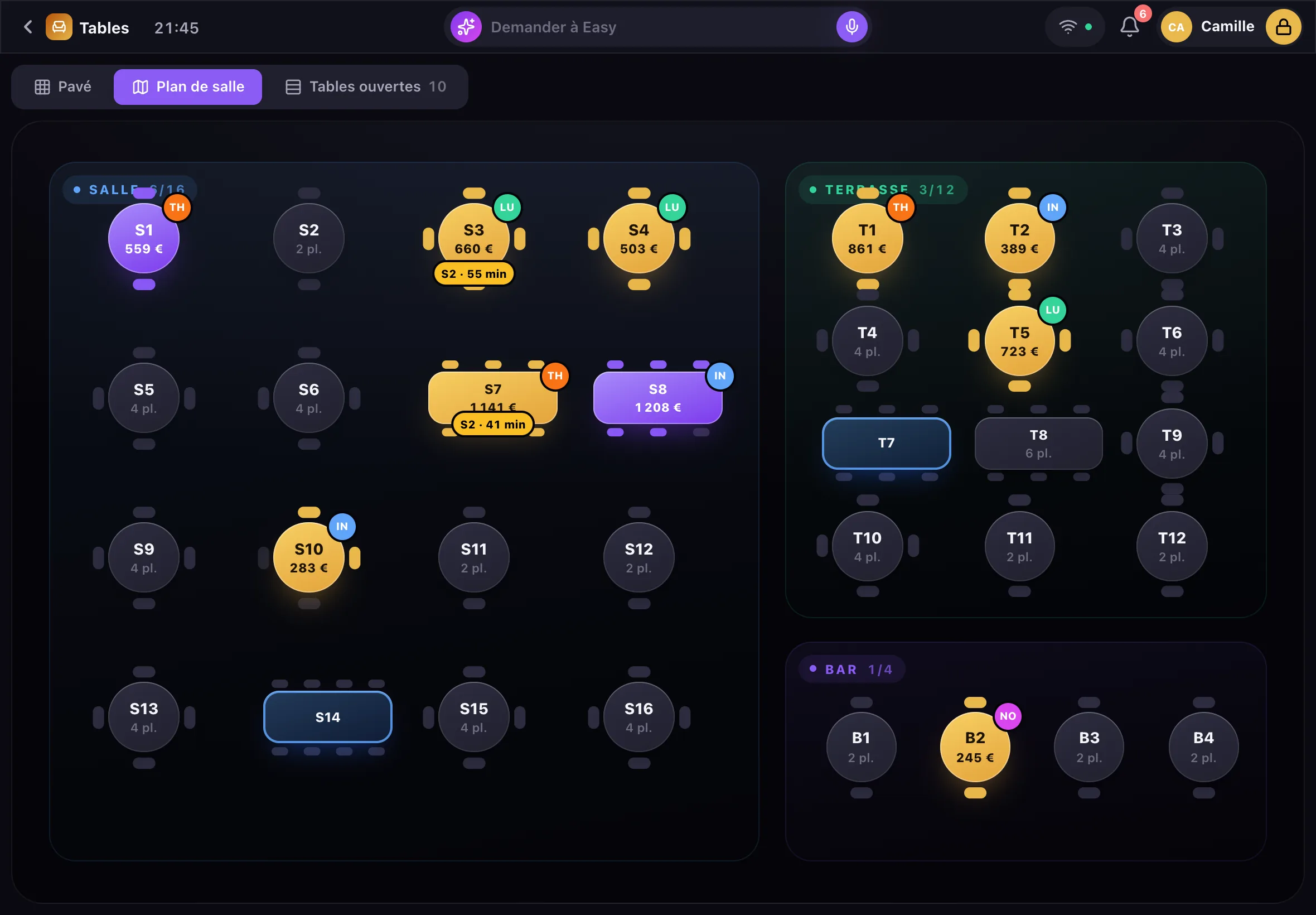
EasyClub gives you a restaurant floor plan on iPad: you place your tables with a finger, by zone and by floor, then follow service on it, table by table. The editor is free and part of the till: tap a table on the plan and its order opens.
- Zones and floors
- Saved layouts
- By plan or by number
Draw the room
In Settings › Floor, you drag tables and zones, a handle resizes them, and a zone’s pencil renames it: dining room, terrace, bar, mezzanine. Each zone has its colour and can be marked VIP. A venue on several levels adds its floors.
- Add a zone or a table in one tap
- Coloured zones, VIP zone
- Floors: ground floor, mezzanine, rooftop…
One layout per night
A private dinner or a concert needs a different room. The current layout is saved under a name (“Friday club”, “Concert”) and reapplied in one tap on the night.
Service at a glance
During service, the plan shows free, occupied and reserved tables. An occupied table shows its current course and how long it has been waiting (“S2 · 12 min”), orange after 20 minutes without a new order. At the top: covers in the room, open tables, average time at table and average ticket.
By plan or by number
Some teams prefer typing the number: “22” then “Table”. The setting is changed in Settings › Floor. An off-plan table, an extra one for the night, is created on the fly and disappears once settled or left empty.
What you can do from a table
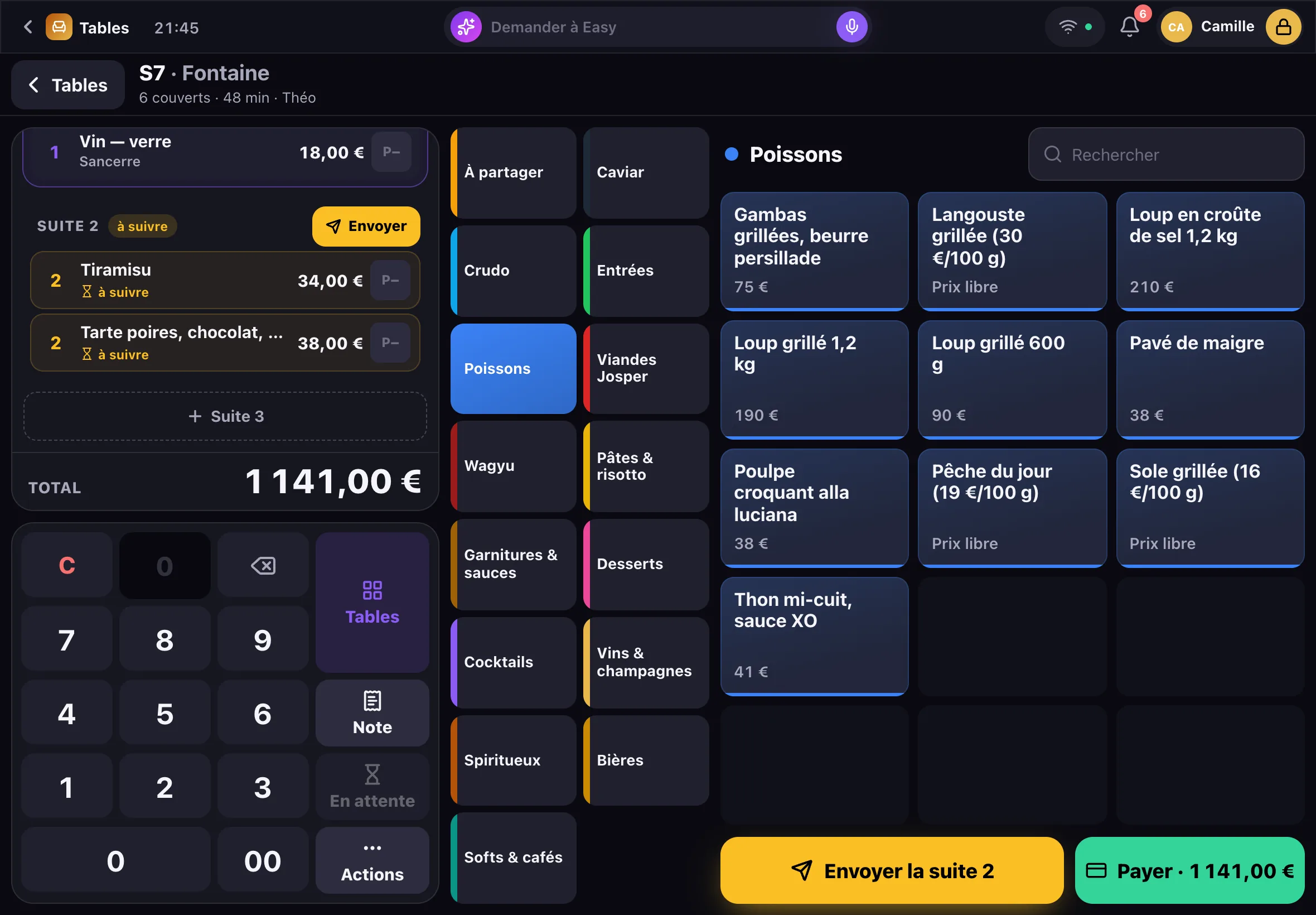
From an open table: move to another table or server, merge two tables, transfer items, split the bill by items, by cover, in equal parts or by amount, keep a bottle in the guest’s name.
Frequently asked questions
Do I need separate floor plan software?
No: the floor plan is part of EasyClub, with the till, reservations and the rest, with no subscription.
Can the team move a table by mistake?
No: the plan can only be edited in Settings › Floor. During service, the team sees the plan without being able to change it.
Can I have several rooms and floors?
Yes: as many zones and floors as the venue has, each with its own tables.
Is the plan linked to reservations?
Yes: a booking is placed on a table of the plan, the reservation grid has one row per table, and the table opens in the guest’s name when they arrive.
What does the “Send” button do?
It splits the order between stations (kitchen, bar, sommelier) according to each product’s category, and marks the course as sent. EasyClub has no kitchen printer or kitchen display connected yet: the kitchen gets the order as it does today.
Free
Step into the future. It’s free.
An iPad demo, at your place, while the room gets ready. You speak, Easy does the rest.