
Restaurant time clock
The time clock is on the lock screen.
EasyClub builds a time clock into the till: on the iPad’s lock screen, staff tap “Start my shift” and type their code, then end the shift from the menu under their name. No badge reader to buy: hours worked, breaks and tip sharing live in the Staff app, free.
- Code, no badge
- Breaks deducted
- Tips split by time worked
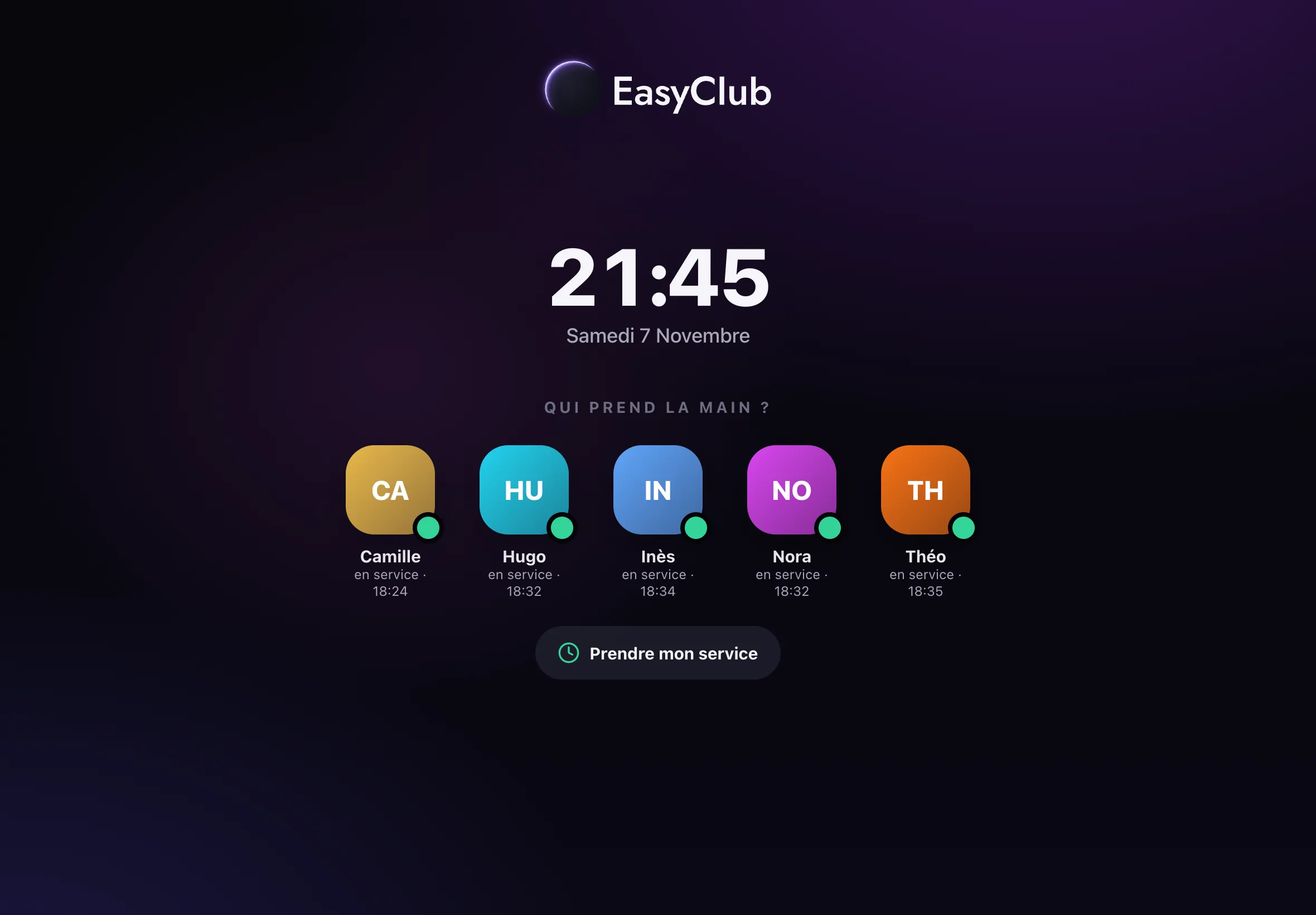
Clock in with two taps
The lock screen only shows the people on shift, with the time they arrived. Whoever comes in taps “Start my shift” and types their code: the clock starts and their profile appears. When they leave, “End my shift”, in the menu under their name at the top of the screen, stops it.
Who is in, and since when
In Staff › Time clock, the manager sees who is on shift, since what time and for how long. They start and end a break, clock someone out, or clock in someone who forgot.
- Breaks deducted from hours worked
- A clock-in left open for more than 16 hours is treated as forgotten
- Each person’s sales and tips for the service
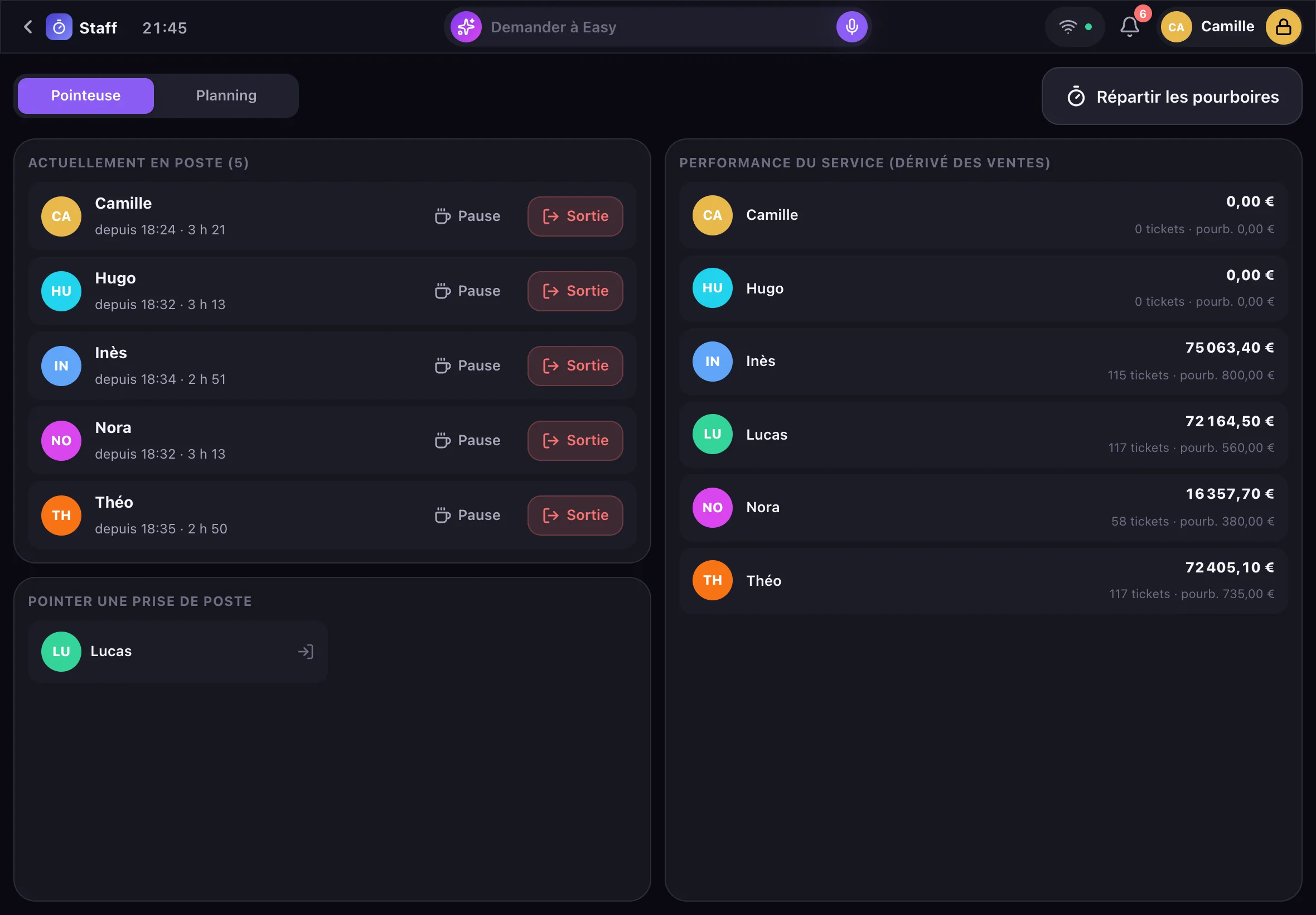
Tips, split by time worked
At the end of service, “Split tips” shares the pool among the people clocked in, pro rata to the minutes they worked during the service. Each share is shown before you confirm.
The same code opens the till
The code that clocks in also unlocks the iPad: everyone sells under their own name, and the session closes itself after an order is sent or a bill is paid. The night’s sales are credited to the right person, with no badge or key.
Frequently asked questions
Do I need a badge reader?
No: the till’s iPad is the time clock, with each person’s own code. No hardware to add.
What if someone forgets to clock out?
The manager clocks them out from Staff › Time clock. A clock-in left open for more than 16 hours is treated as forgotten, so nobody stays “on shift” forever.
Can clocked hours be exported to payroll?
Not yet. Today, Staff shows the hours worked in the current service, and Easy gives each person’s hours for a given day; copy those totals into your payroll tool.
Are breaks deducted?
Yes: a break is started and ended from Staff › Time clock, and its length is taken off the hours worked.
How much does the time clock cost?
Nothing: it is part of EasyClub, free with no subscription.
Free
Step into the future. It’s free.
An iPad demo, at your place, while the room gets ready. You speak, Easy does the rest.